Azure service enablement: why and how

An Azure allow list can stop teams from deploying resource types the platform has not approved. It does not tell them how to configure an approved service, or explain which settings the platform will enforce.
That gap is where service enablement fits. The platform team and Security & Compliance assess a service, agree on the controls that apply, and turn those decisions into deployment guidance and guardrails. Teams can then use the service within a known baseline.
This post describes that process as I understand it today. I use Blob Storage to make the steps concrete, but the example is illustrative, not a record of a deployed customer baseline. The control decisions in a real organization must come from its own risks, requirements and architecture.
Key takeaways
- Use the Cloud Adoption Framework service enablement questions to assess a service's security, identity, governance, operations and compliance.
- Map each required setting to a control objective and a reason. Then decide how to enforce it and explain how teams can meet it.
- Before a service is available, validate the documentation, policy guardrails and deployment guidance together.
Start with the service, not the requesting workload
A workload team may request a service that is missing from the supported catalogue. That request starts an assessment; it does not define the baseline for every future user of the service.
Service enablement asks what the service can do, which security and operational controls apply, and how the organization will support it. The requesting team's business case and application architecture still matter, but they belong in their own review. The enablement outcome should describe the conditions under which teams can use the service across the organization.
Scope the assessment to a capability that can be reviewed. Azure Storage includes several services and access patterns. If the request is for Blob Storage, record which resource types, features and tiers the assessment covers. Add other capabilities when there is a reason to support them.
The CAF service enablement framework provides assessment questions across security, identity and access management, governance, operations and service compliance. It helps a platform team understand a service's capabilities and limitations. It does not decide which controls an organization must adopt.
Connect service capabilities to security controls
Use the organization's security control framework to decide which capabilities need requirements. For example, a service might support private connectivity. That capability becomes a requirement only if the organization's risk assessment or control framework calls for it.
Security & Compliance can explain the control objective and the risk it addresses. Platform engineers can identify the service settings, deployment patterns and guardrails that implement it. Record the decision, evidence, owner and any gaps. A future reviewer should be able to follow the path from the risk to the setting.
If your organization has no control framework, start with established guidance and agree what applies with Security & Compliance. Microsoft's Cloud Security Benchmark is one source of Azure security recommendations. Record the version or date you reviewed and why you adopted, adapted or rejected a recommendation.
The useful extension to CAF is this traceability: connect an assessment answer to a control objective, then to a service setting and an implementation decision. A mandatory setting should have a clear answer to “what risk does this mitigate?”
Choose guardrails that match the decision
For the baseline described here, I would put settings that workload teams must choose into Azure Policy definitions with the deny effect. Group the definitions in an Azure Policy initiative, then assign it at the scope where the baseline should apply.
This is a design choice for this baseline, not a rule that every Azure Policy initiative should contain only deny policies. Azure Policy has other effects for different jobs. A deny policy blocks a matching create or update request. It does not change the deployment to make the setting compliant. Existing resources can still appear as non-compliant during evaluation, so check the compliance results and plan any remediation separately. See Microsoft's documentation on the deny effect.
Take a minimum TLS setting as an example. If a service exposes a minimum TLS version and Azure Policy has an applicable alias for that property, a deny rule can reject deployments that allow a version below the agreed minimum. Confirm the service's supported values, policy coverage and behavior when the property is omitted. For Azure Storage specifically, Microsoft documents how to configure the minimum required TLS version.
I would not use DeployIfNotExists to silently set every workload configuration in this baseline. A deployment effect can be useful when the platform owns the change and the remediation behavior is understood. When workload teams own their deployment configuration, automatic changes can conflict with their tooling or obscure who made a setting change. Choose the effect for the control's intended behavior, and document the operational consequences.
Before assigning a deny initiative broadly, test its definitions against representative deployments and review compliance results for existing resources. Verify both sides: a deployment that follows the guidance succeeds, and one that violates a required setting is rejected. Start with a limited scope if the impact is uncertain.
Carry one control through to Blob Storage
Consider an illustrative organization whose risk assessment requires private connectivity for Blob Storage. The requirement applies to the supported scope, regardless of which workload team deploys it.
An Azure Storage private endpoint gives a virtual network a private IP path to the storage service. Creating that endpoint does not by itself disable the public endpoint. If the requirement is private access only, configure the account's public network access or firewall behavior accordingly, and make sure clients can resolve the storage name through the private endpoint's DNS configuration. Microsoft's guide to Azure Storage private endpoints describes these pieces and their relationship.
The onboarding record might contain the following decisions:
| Onboarding detail | Illustrative entry |
|---|---|
| Risk and control objective | Limit network exposure by requiring private connectivity for Blob Storage. |
| Required configuration | Disable public network access and configure the Blob private endpoint and required DNS integration. |
| Policy guardrail | Deny storage account configurations that leave public network access enabled. |
| Implementation guidance | Explain how to deploy the private endpoint and DNS integration, then verify access from the workload network. |
| Validation | Confirm that the policy rejects prohibited configurations and that the documented deployment supports private access. |
The policy checks one configuration condition. It does not create the private endpoint, configure DNS or prove that an application can connect. The deployment guidance has to cover those steps, and the validation has to test them.
Apply the same traceability to identity and access management. Document supported authentication methods, distinguish resource-management permissions from data access, and name the roles and scopes needed for deployment, runtime access and support. “Use least privilege” is a useful objective, but it leaves implementation decisions unanswered. For examples of more specific Azure role controls, see my posts on conditional role assignments with Bicep and PIM conditional role assignments.
Prepare three deliverables before onboarding is complete
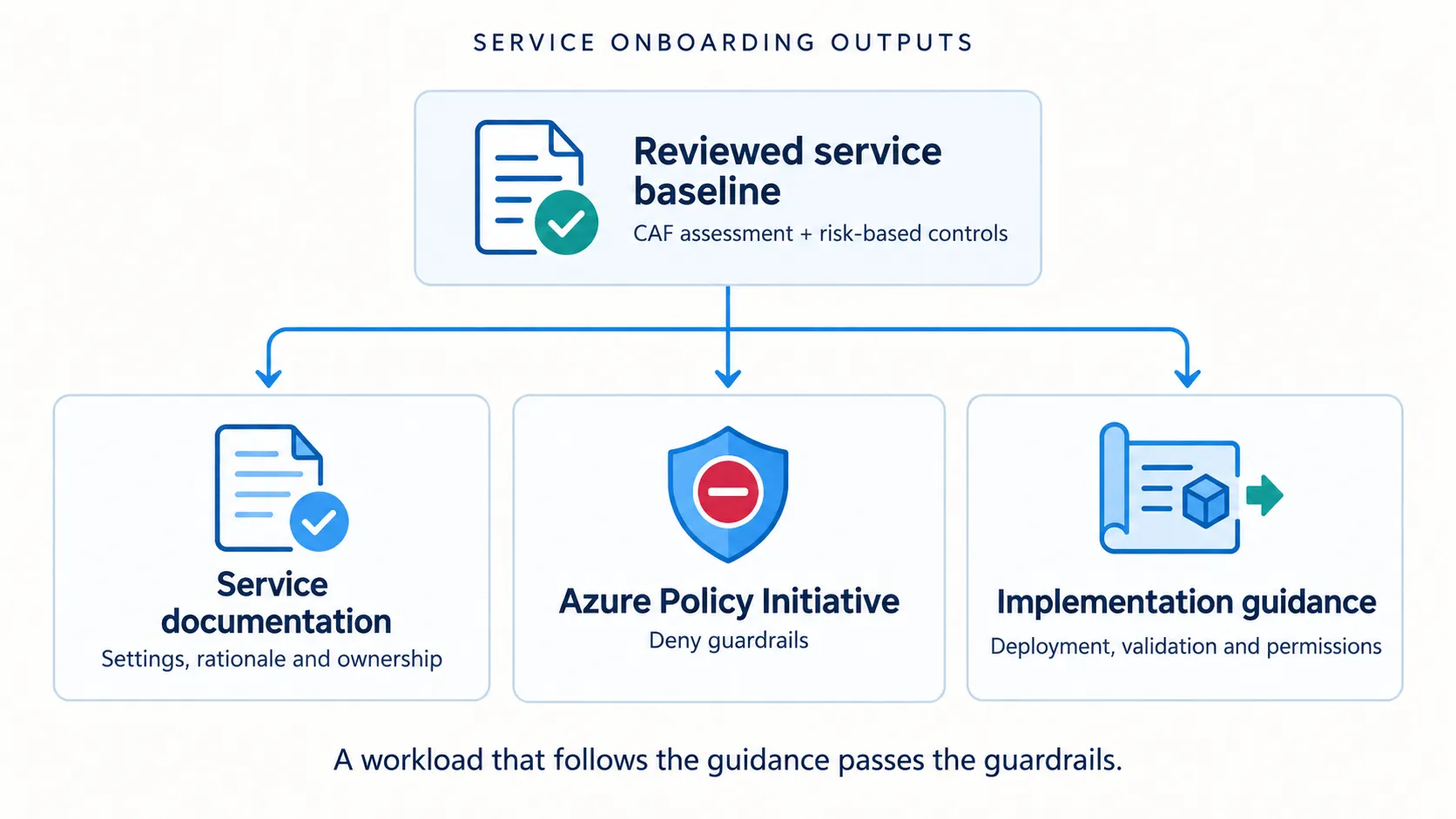
Service onboarding should leave the platform and workload teams with three usable outputs:
- Service documentation. Record the supported scope, relevant capabilities and limitations. Map required settings to controls and risks. Include evidence sources, review date and an owner so another person can understand the decisions later.
- An Azure Policy initiative. Group the agreed guardrails, parameters and assignment scope. Keep each policy's control objective visible. Define and assign the initiative, then verify its behavior at the intended scope.
- Implementation guidance. Show workload teams how to deploy within the baseline. Include required settings, dependencies, scoped permissions, a reusable example where practical, and steps to verify the result. Explain policy failures in terms a team can act on.
Validate the three outputs as one system. A deployment that follows the guidance should pass the guardrails. A deployment that violates an enforced requirement should fail with a clear reason. If the documentation says a setting is mandatory but the policy lets it be omitted, the onboarding is not finished.
Keep the outputs together as the service changes. New capabilities, changes to a security control or differences in policy support can all require a review. Give that maintenance work an owner.
Make exceptions explicit
A shared baseline still needs a way to handle justified exceptions. Assess a deviation with the right risk owner, record the decision and any compensating controls, and name who is responsible for it.
Azure Policy exemptions can apply to a resource hierarchy or an individual resource. For an initiative assignment, an exemption can target the initiative or selected policy definitions within it. An exemption can also have an expiry date. Record why it exists and review it; an exemption is a tracked decision, not a permanent way to bypass the baseline. Microsoft's Azure Policy exemption guidance explains the available scope and expiration properties.
This lets the shared onboarding remain reusable while a specific workload gets the review it needs. The exception does not turn every team's deployment into a new negotiation about the service's minimum requirements.
Next: can Foundry make service documentation useful?
The next part starts with the documentation behind a service assessment. I want to use Azure Foundry to find the relevant service guidance and turn it into a draft that connects documented capabilities and limitations to the onboarding questions.
That sounds straightforward but can an agent show where each statement came from, make gaps visible, and leave control decisions to the platform and security reviewers? That is what I will try next. The first test is whether Foundry can produce a useful, evidence-backed service document without filling the gaps with guesses.
Related Posts
PIM + Conditional Role Assignments: Secure Autonomy for Azure Landing Zones
Combine PIM eligible roles with conditional role assignments to give teams just-in-time Owner access while preventing privilege escalation.
Azure Conditional Role Assignments with Bicep!
Implement secure workload autonomy using Azure conditional role assignments with Bicep and Azure Verified Modules.
Azure Privileged Identity Management as code
Configure PIM Eligible Role Assignments on Azure subscriptions using the ARM API in PowerShell, including role policies, approvers, and eligible role creation.